Video Meetings
How we made MVP of video meetings in a corporate messenger that helps 36% of app users successfully conduct work meetings every day.
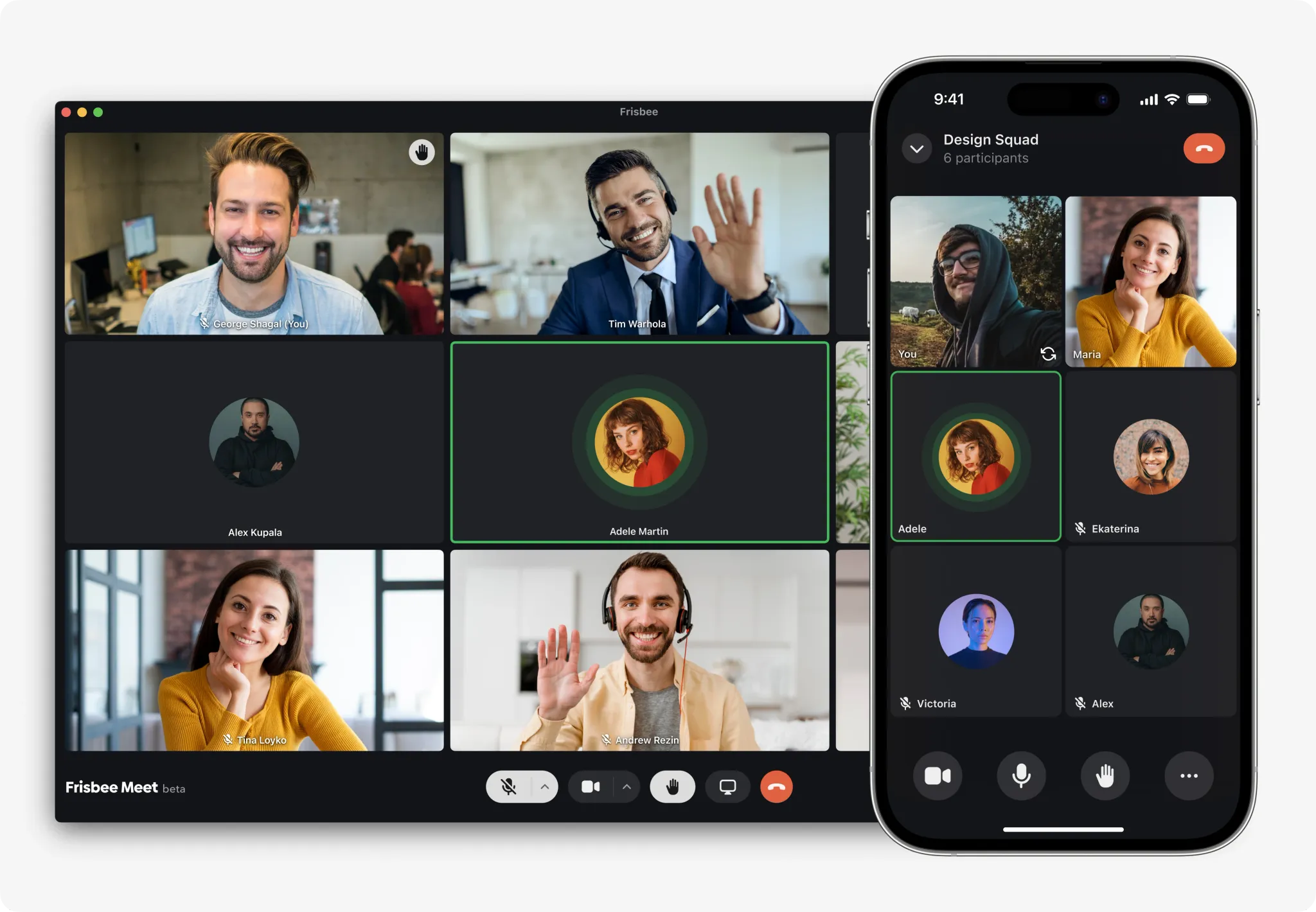
Frisbee is a corporate messenger for collaboration of employees in large organisations. On average, our users have several video meetings a day, but Frisbee lacked video conferencing functionality, so users had to use third-party services. To cover one of the most popular user needs, our team focused on developing video conferencing functionality.
Project Kick-off
To develop video conferencing, we formed a team consisting of a Product Manager, myself as a Product Designer, Android, iOS, Web, and QA Engineers. In the first few days, we held kick-off meetings to synchronize and lay the foundation for further work on the project. Our goal was to launch the first version of video conferencing in production within 3 months.
With the team, we held meetings with key stakeholders, including the CEO and Head of Growth, to discuss business goals, user tasks, and methods of evaluating results.
Business & User Goals
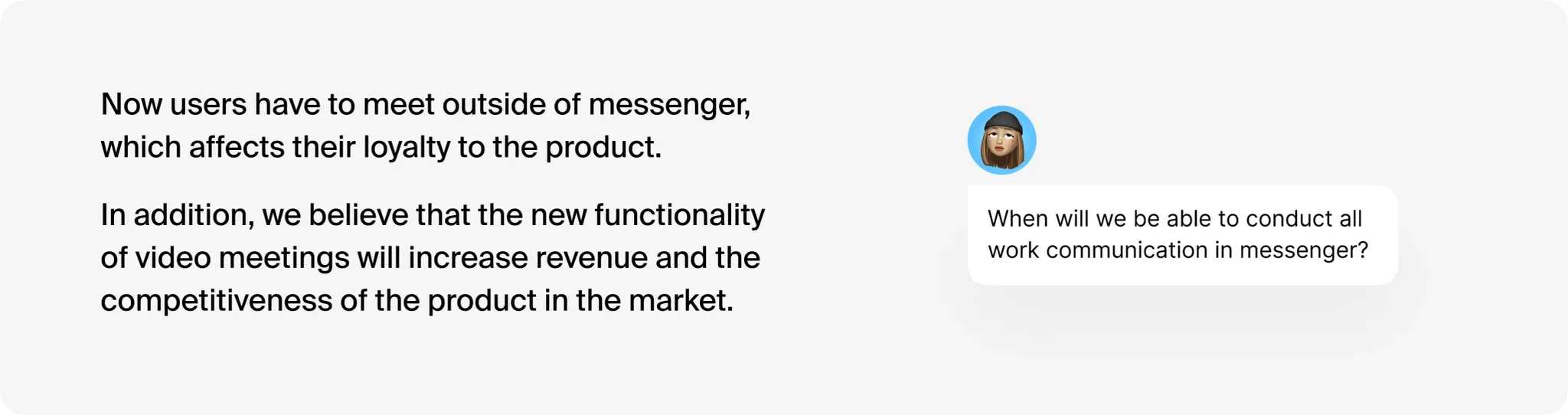
We formulated hypotheses that linked business goals and user needs. We believed that implementing video conferencing would bring the business closer to achieving its strategic goal of an all-in-one solution for corporate communication, increase the product's competitiveness in the market, and boost revenue by adding new functionality for sales. Additionally, we believed that the ability to hold meetings within the messenger would help retain teams and increase loyalty since users could conduct meetings directly in the messenger without switching to third-party services.
Success Criteria
To monitor success, we will track metrics such as Feature Adoption Rate and Retention of video conferencing. We agreed to evaluate success based on the Customer Satisfaction Rate metric through surveys and interviews. But we expected that MVP would not be an ideal solution. So we agreed that if we do not achieve a significant results, we will continue to improve the product.
Discovery
User Journey Map
We started with a User Journey Map to understand the goals and key actions of users. This artifact helped us take a high-level view of user stories and form our initial understanding of user roles, stages, goals, and actions. In the process of creating the USM, we formulated four possible user roles for video conferencing.
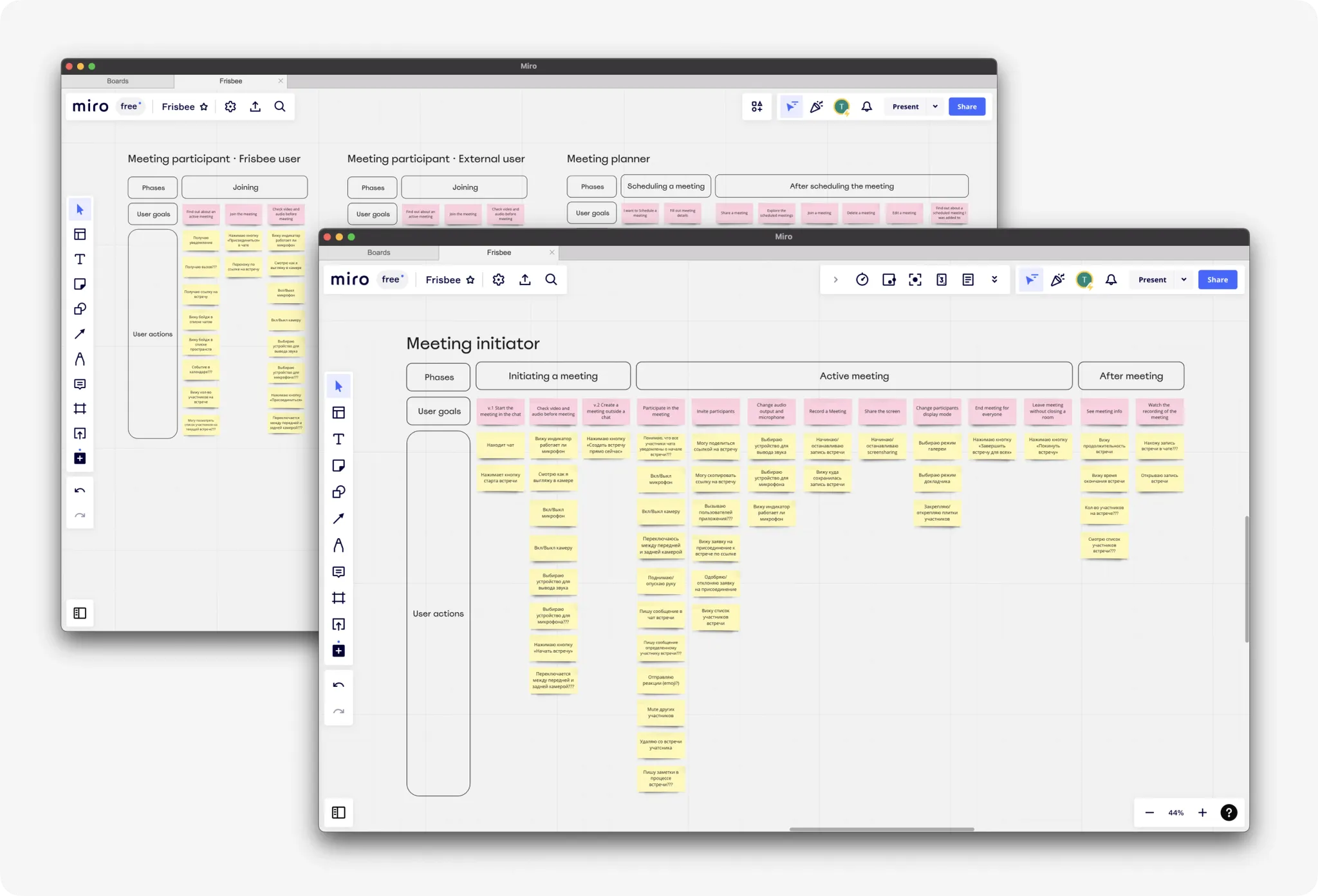
After creating the USM, we went to check our initial understanding of user goals and actions through benchmarking and user interviews.
Competitor Analysis
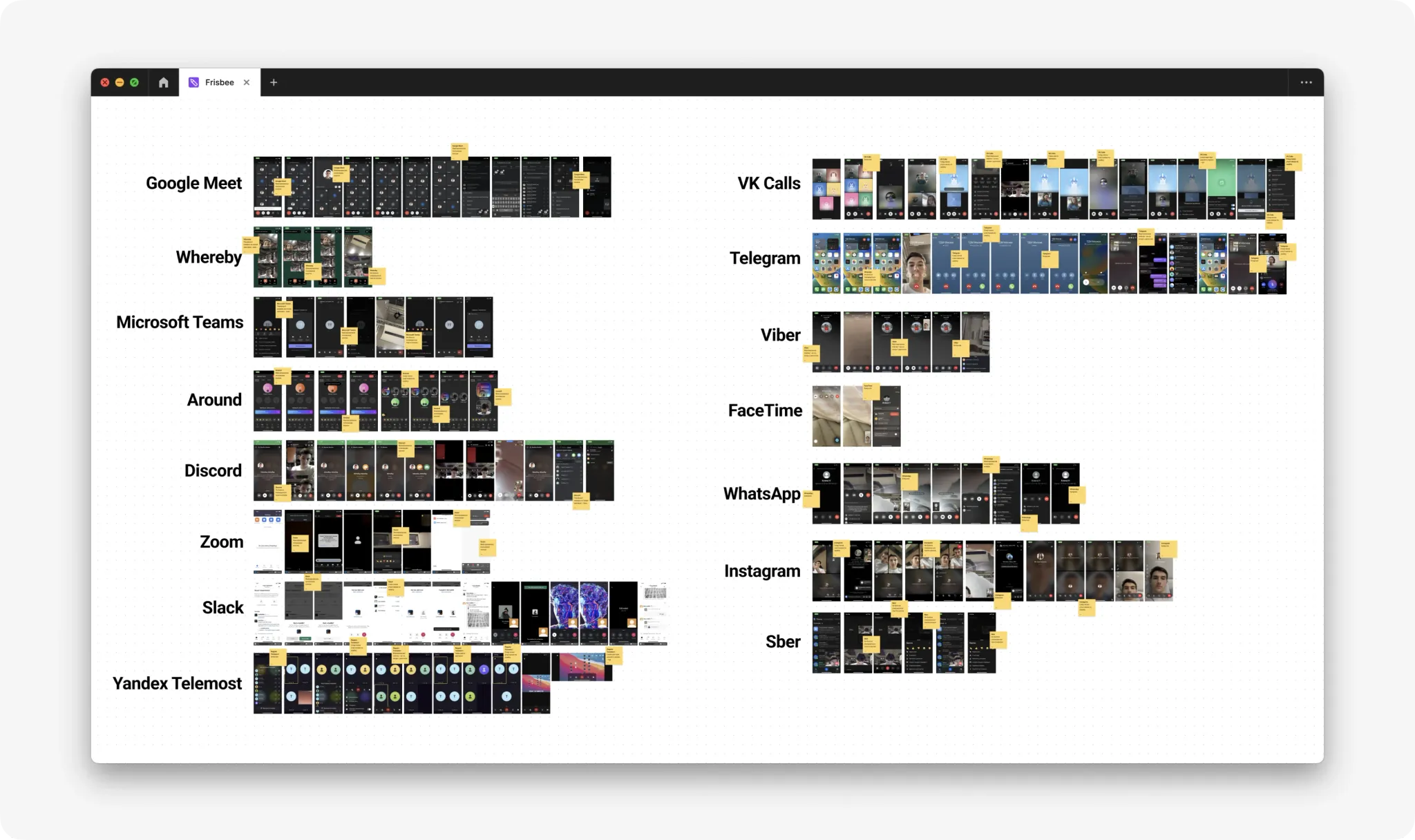
To analyze competitors' products, I studied video conferencing tools, corporate and public messengers. This allowed me to analyze how various features are implemented among competitors, find new ideas and hypotheses, and generally look at the market situation.
Interview
We wanted to get out of our own vacuum and learn how people currently conduct work meetings and their needs for video conferencing. We formulated hypotheses based on our vision of user needs and wanted to test them through interviews.
I conducted 5 interviews with our users. The interviews helped us revise the priorities of some of our hypotheses. We confirmed the need for video conferencing functionality within the messenger, especially for quick calls in chats and for scheduling meetings without leaving the messenger.
Hypotheses & Prioritisation
User Story Mapping
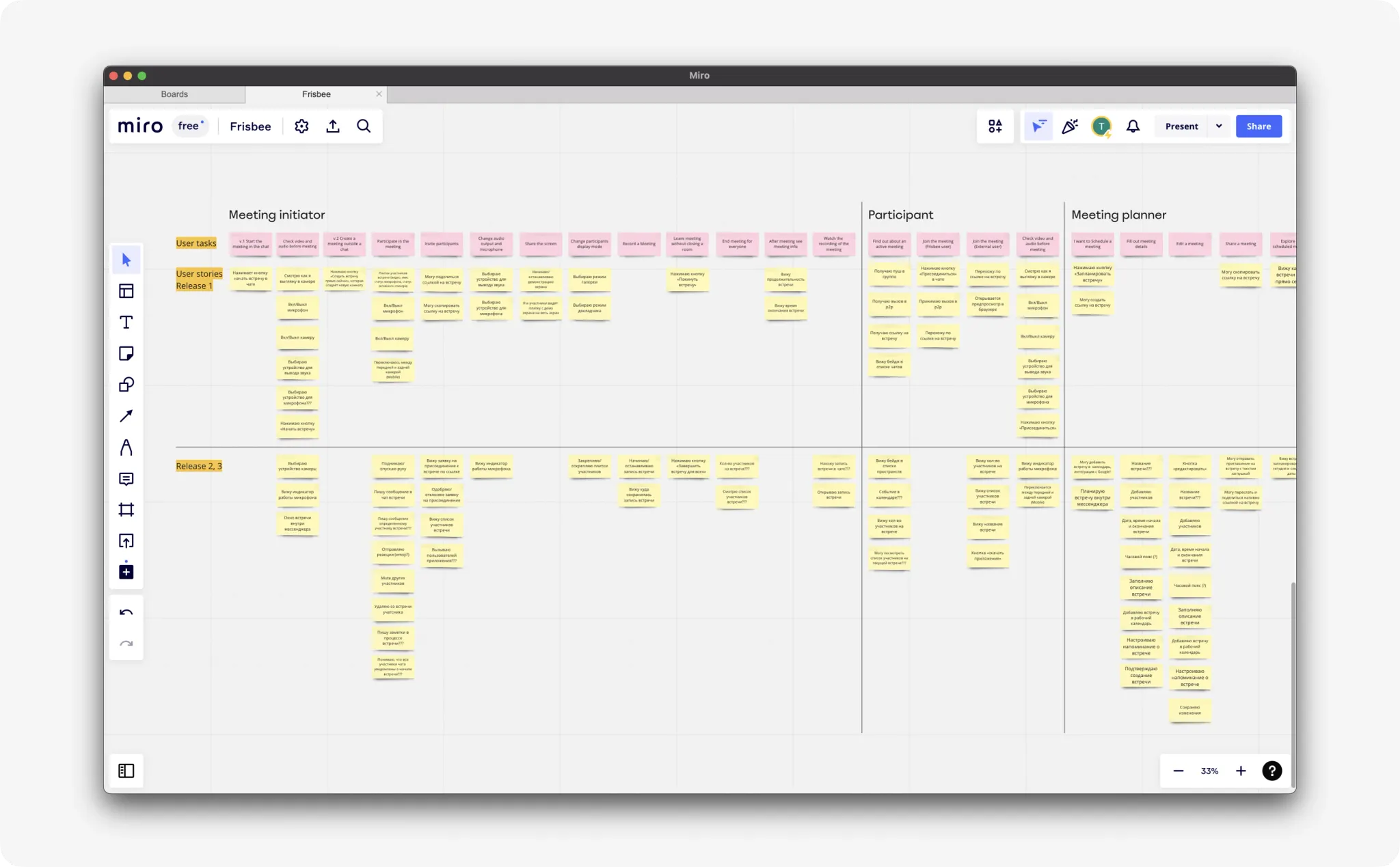
To determine the most important features for the first iteration, I built a user story map and evaluated each story together with the manager and developers. We used a simplified version of prioritisation. We divided the business and user value of each story by the technical complexity of implementation. As a result, we got the scope for the first version.
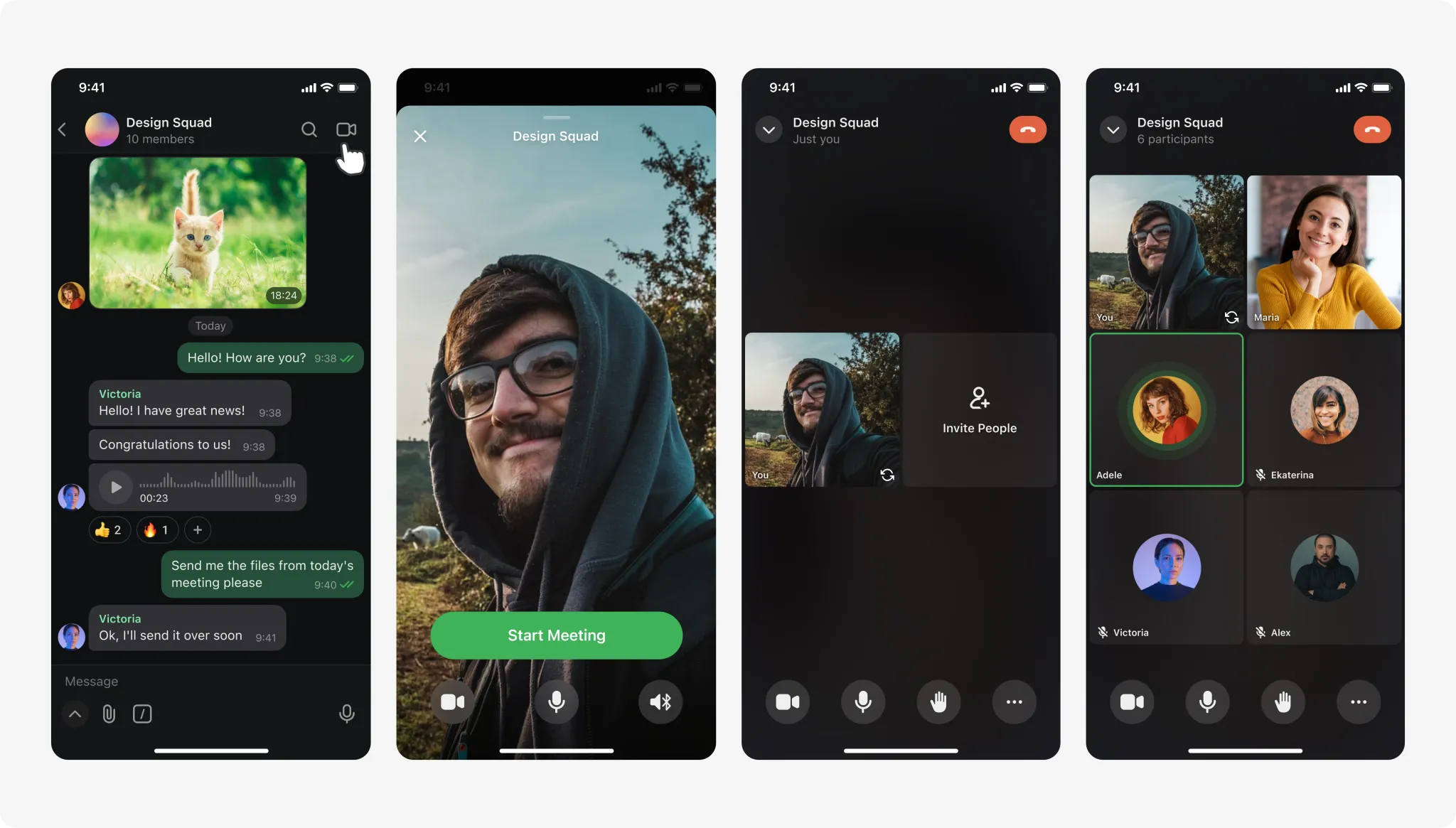
Design Solutions · Mobile
After forming the MVP scope, I started working on designing video meetings for iOS, Android, and Desktop platforms. Each user story was developed as a small feature and went through a cycle of discovery, research, hypothesis formation, and design work.
Through numerous iterations and discussions with the team, I presented the final solution to the Head of Growth. And here's what came out:
During a meeting, a user can add new participants or share a link.
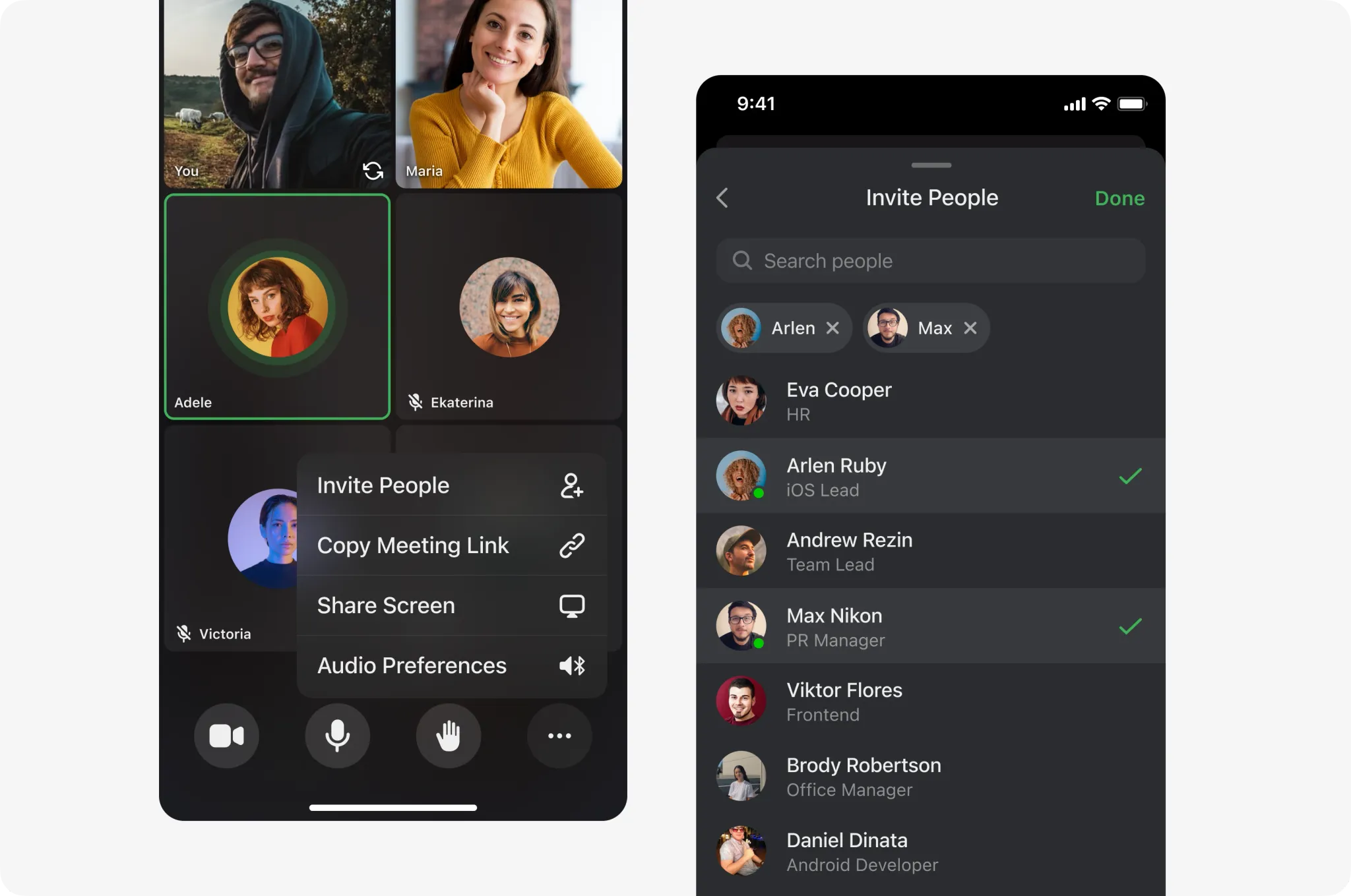
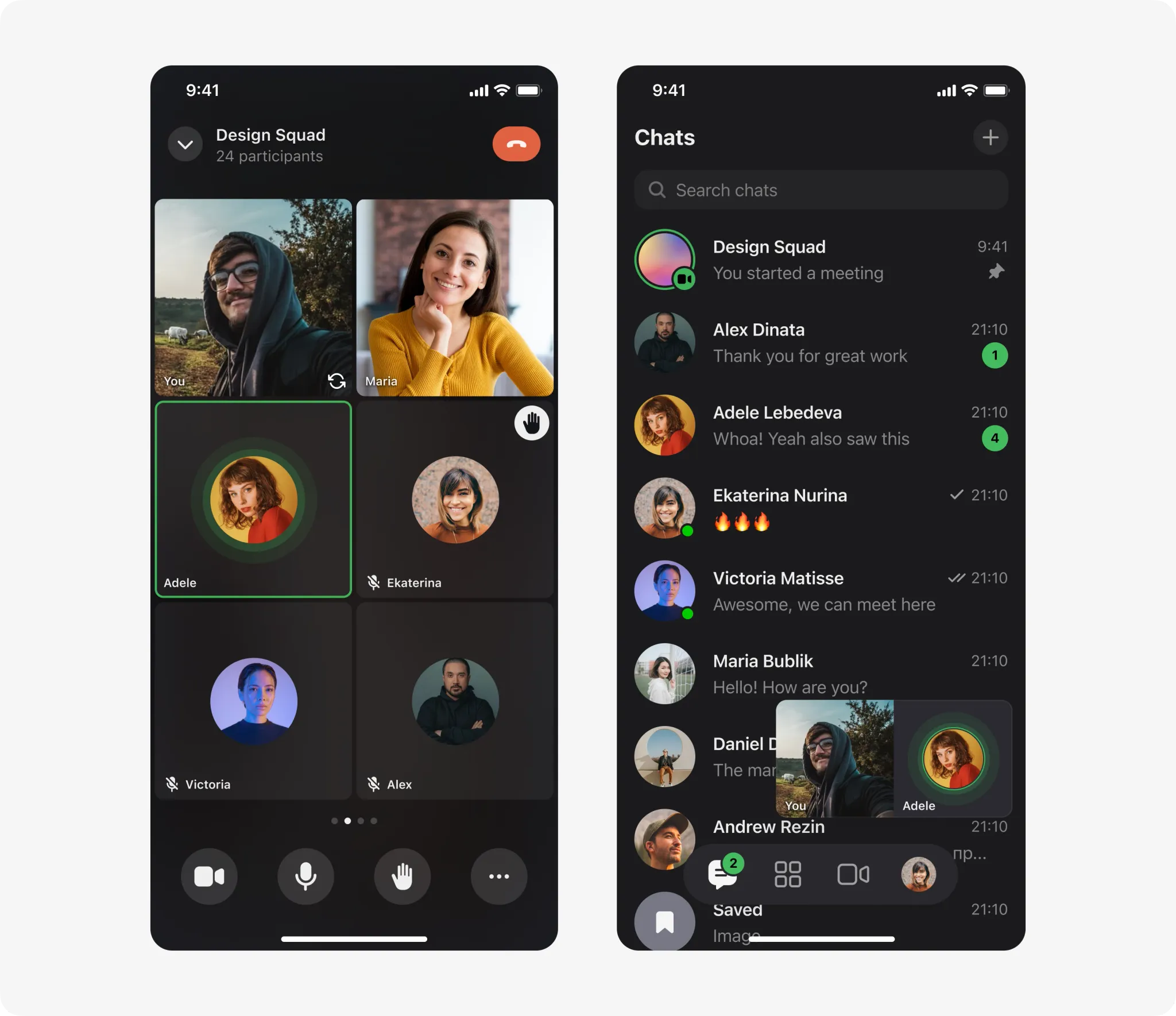
People can raise their hand to indicate a wish to speak without interrupting the active speaker. In parallel, you can send messages and work with the app without interrupting the meeting, and the active speaker will always be visible in the thumbnail.
Design Solutions · Desktop
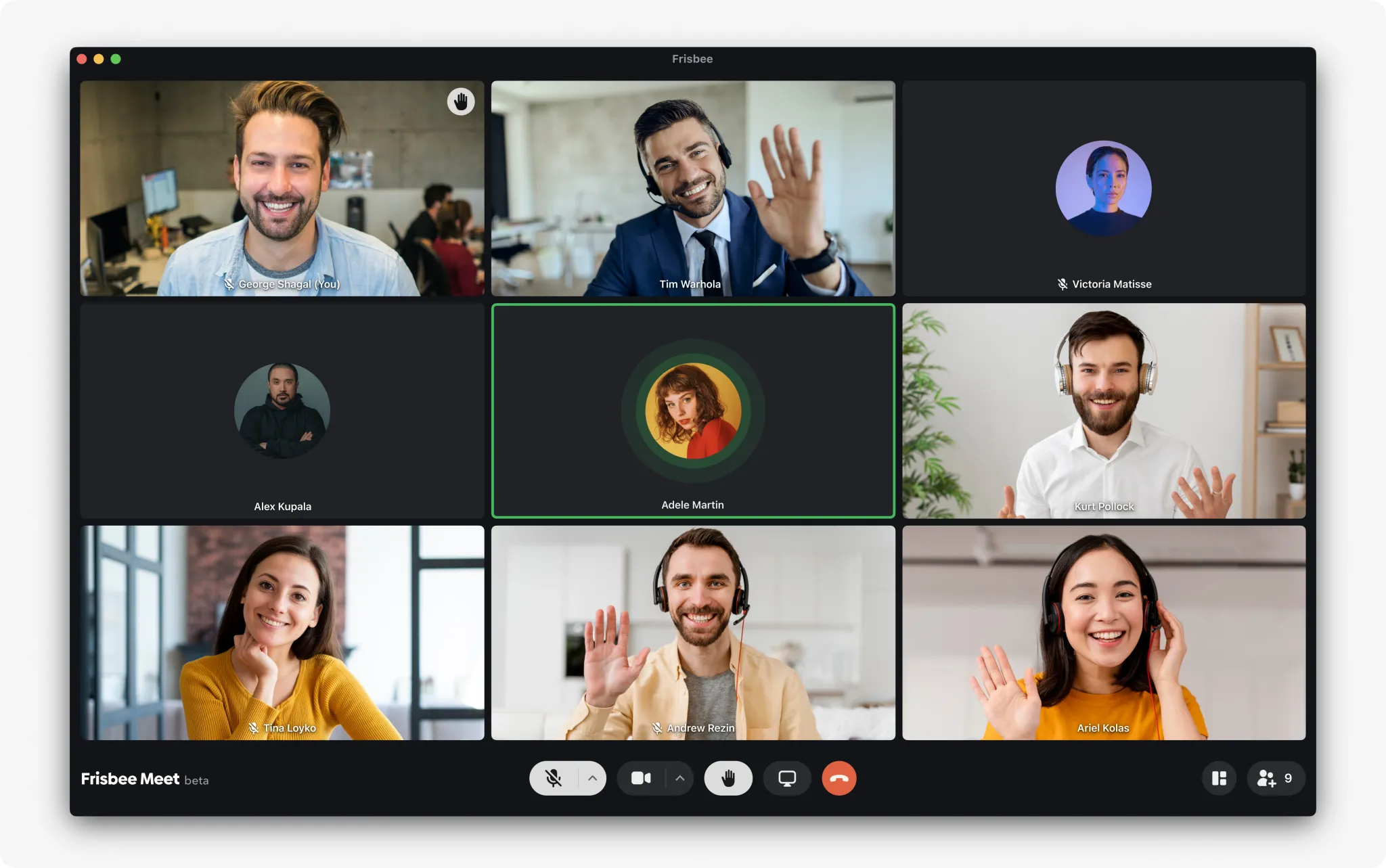
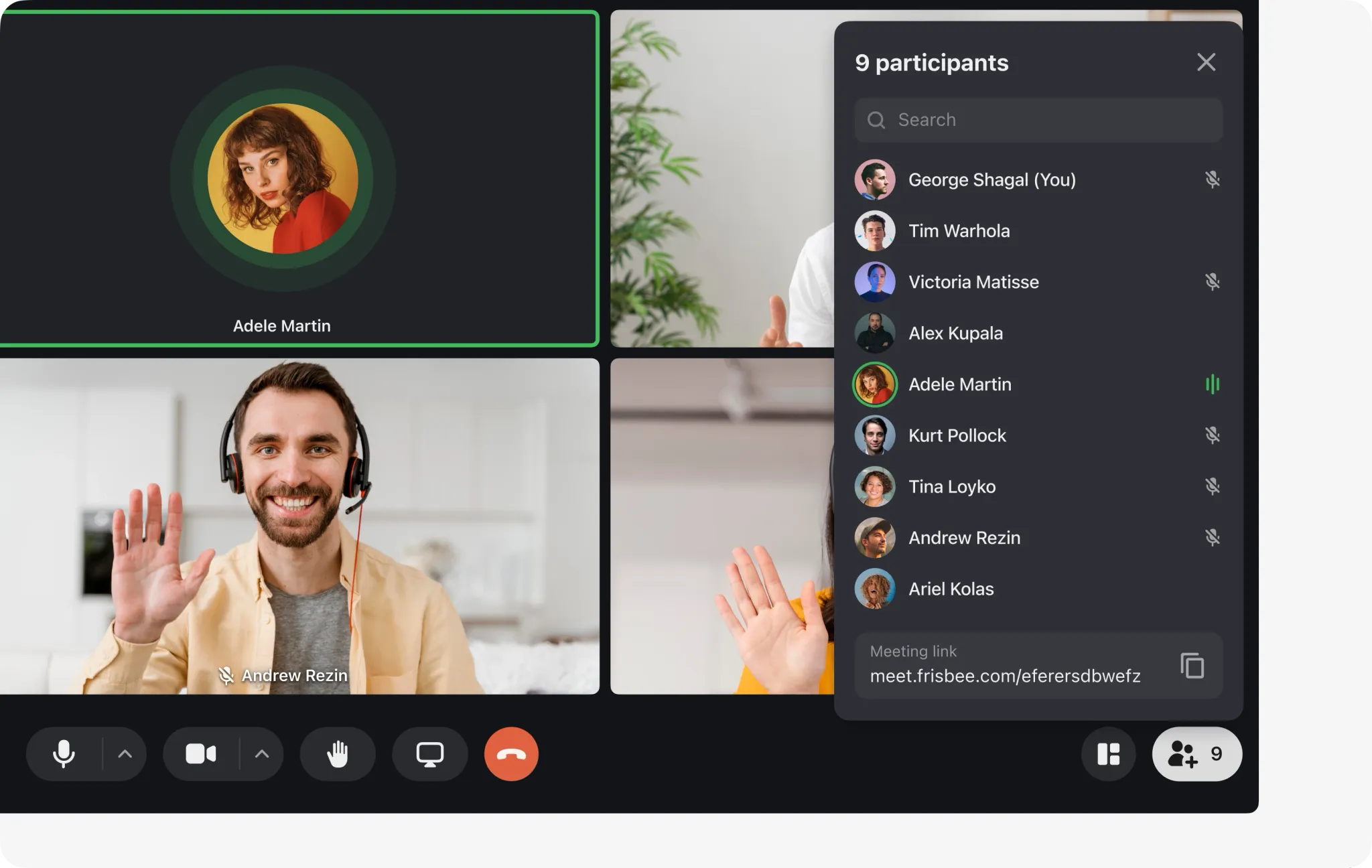
All solutions work on the desktop and web version of the application.
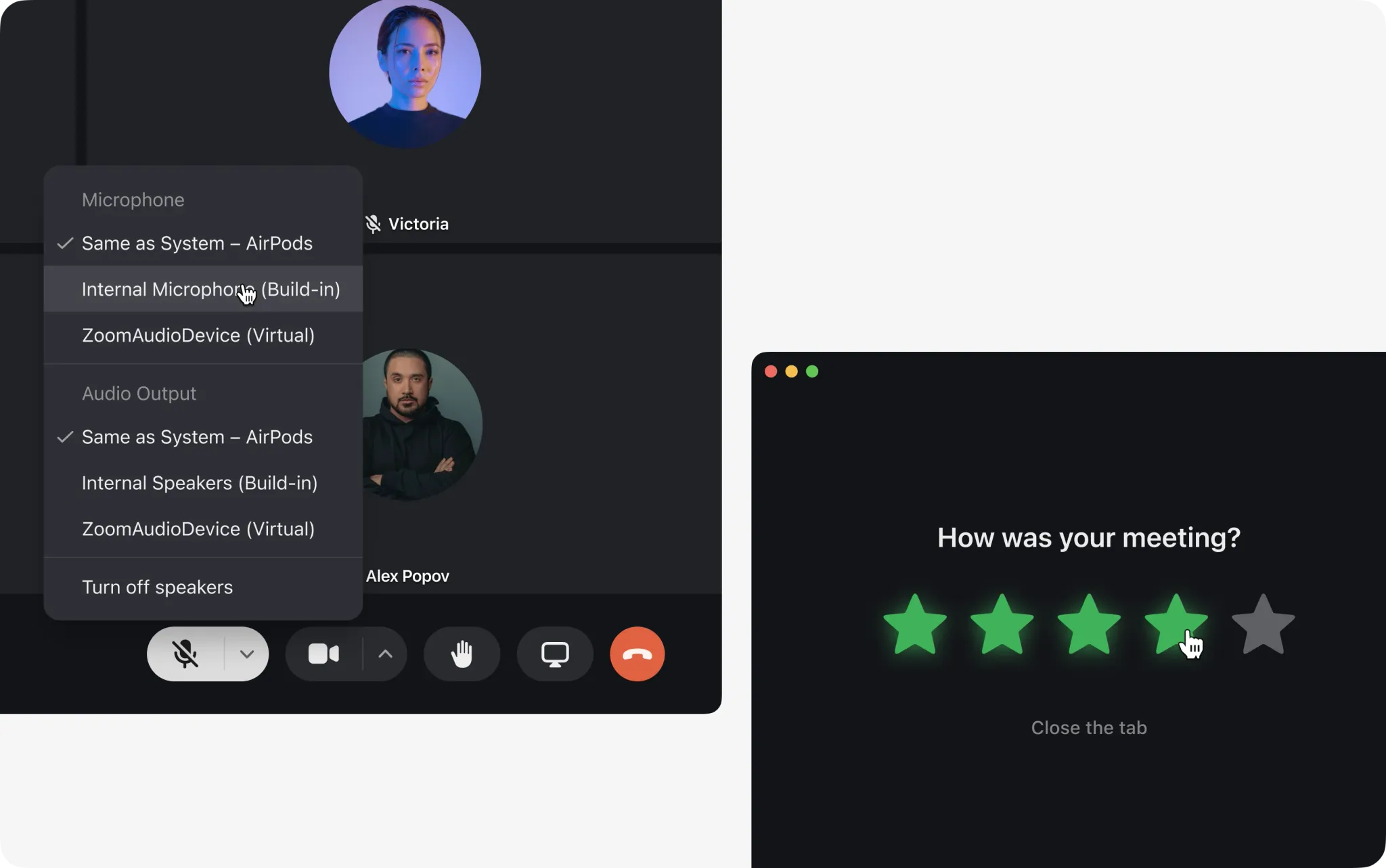
People can choose the device for sound and microphone output. And after release, we quickly implemented polling and response options at the end of meetings to analyse user satisfaction.
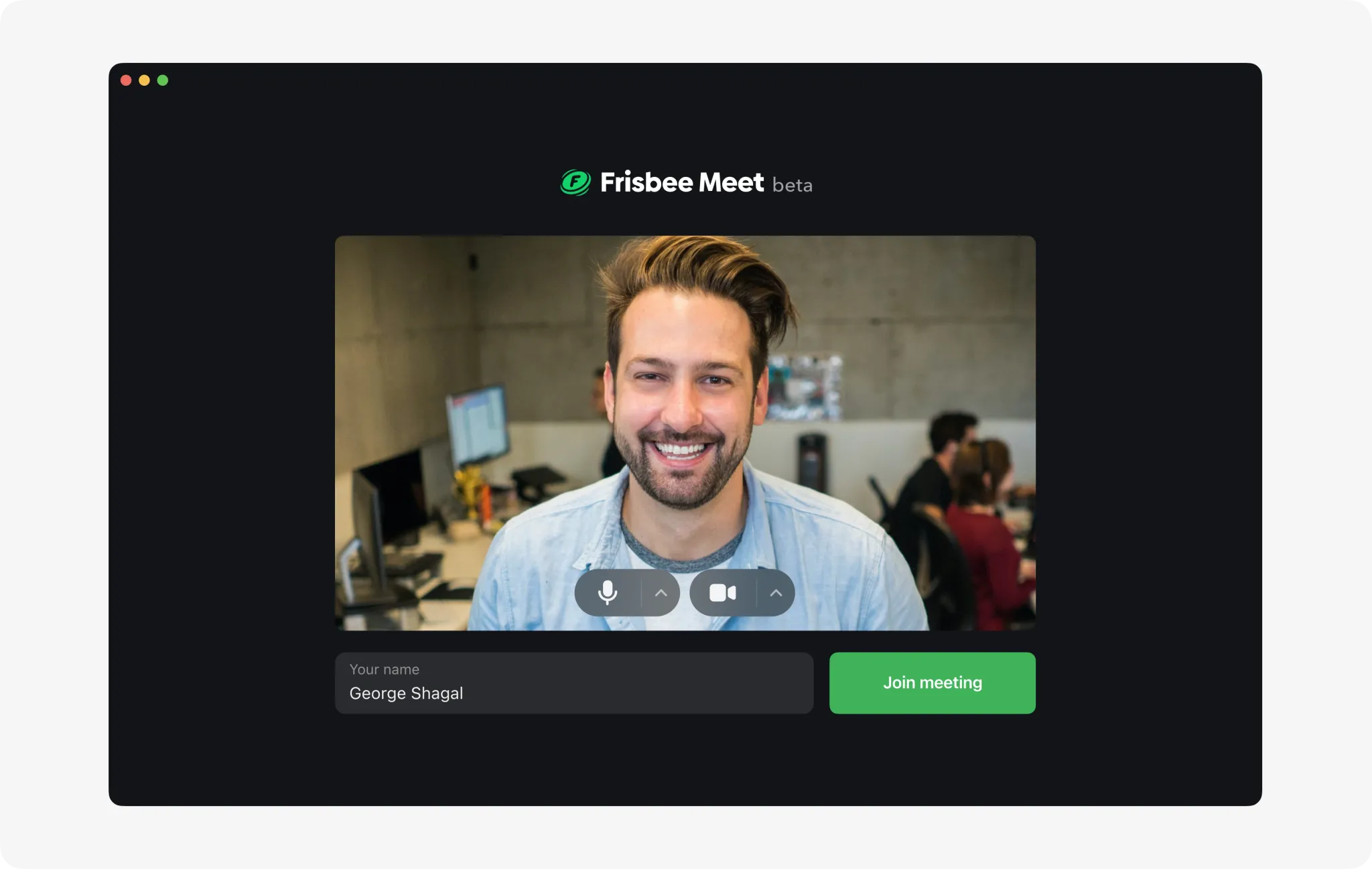
Preview before joining a meeting. Here we backlogged a lot of ideas and sent to work the most necessary basic functionality for MVP release.
A list of participants and a link to the meeting is always at your fingertips.
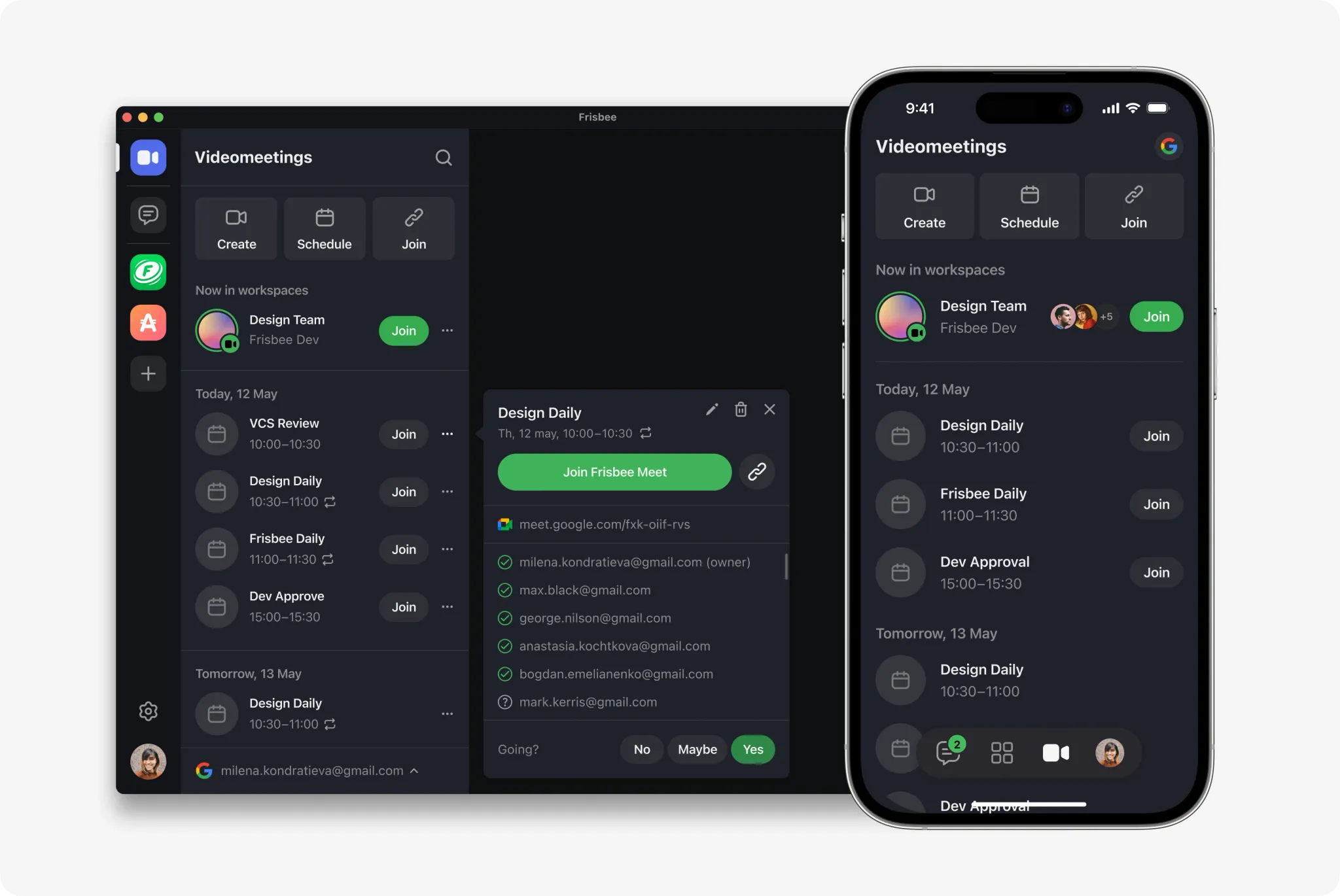
The next step is scheduling of meetings and integration with calendars, but that's another story :)
Idea Testing
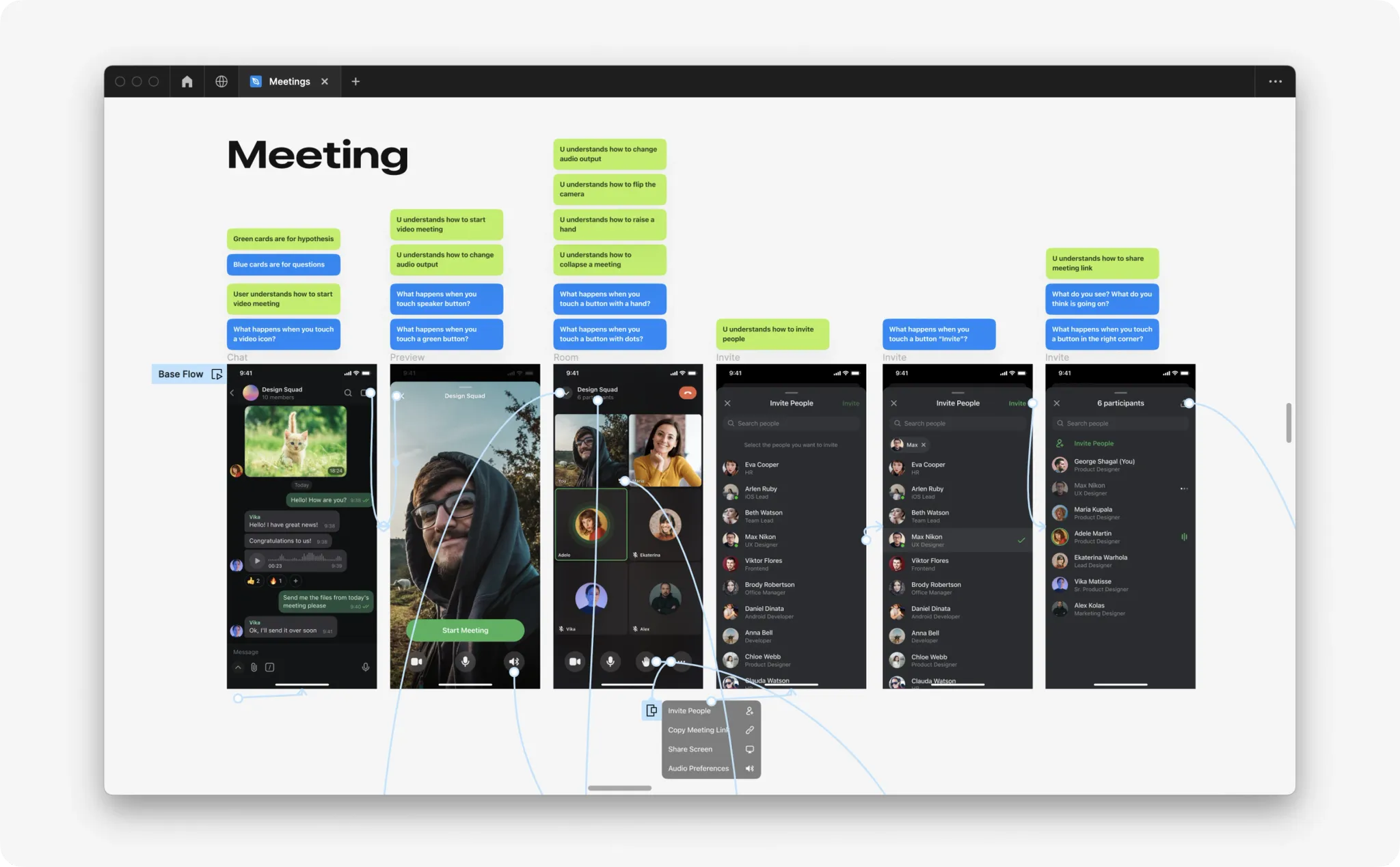
During the development process, I regularly tested my designs with corridor tests to find weak points in the interface and conducted design reviews with the Product Manager and other designers in the company. I also discussed scenarios and technical limitations with developers.
Results
Currently, we have taken our first steps and launched the MVP video conferencing within the messenger on Web. Unfortunately, not everything we had planned was able to be implemented due to external factors. However, even at this stage, video conferencing has shown promising results, with over 36% of users using this solution every day. This is a significant achievement for us, and we now have a solid foundation for further development and delivery of new features. Our next steps are to improve the user experience of video conferencing and cover more contexts of product usage. We also plan to monitor metrics such as retention, customer satisfaction rate, and gather feedback from users through surveys and interviews.
My Role
I held kick-off meetings with stakeholders, analysed competitors, mapped the user journey and conducted user interviews. Participated in the formation of scopes of work and prioritisation with the product manager and engineers. Developed animation and design of core and corner cases for iOS, Android, Web and Desktop platforms. Conducted usability tests. Described requirements and assisted QA in finding and describing bugs. Monitored post-release metrics.